Sky Sports: Premier League Multiview
Role
Senior UX Designer
Team
Senior UI Designer
Product manager
Developers
Timeline
1 month
Skills
UX Design
Product strategy
Accessibility
Brief
Bringing multi-match viewing natively onto the big screen
Football fans are already watching multiple games — they're just doing it across a tangle of devices, second screens, and constant app-switching. The question wasn't whether multiview was wanted. It was whether we could build it in a way that felt usable, without intruding on the existing experience or adding friction.
I led UX for this project, adapting an established multiview framework from Comcast's X1 platform to fit the Sky Sports app, a different product, a different audience, and a different set of constraints.
Context
Designing for fans who never watch just one game
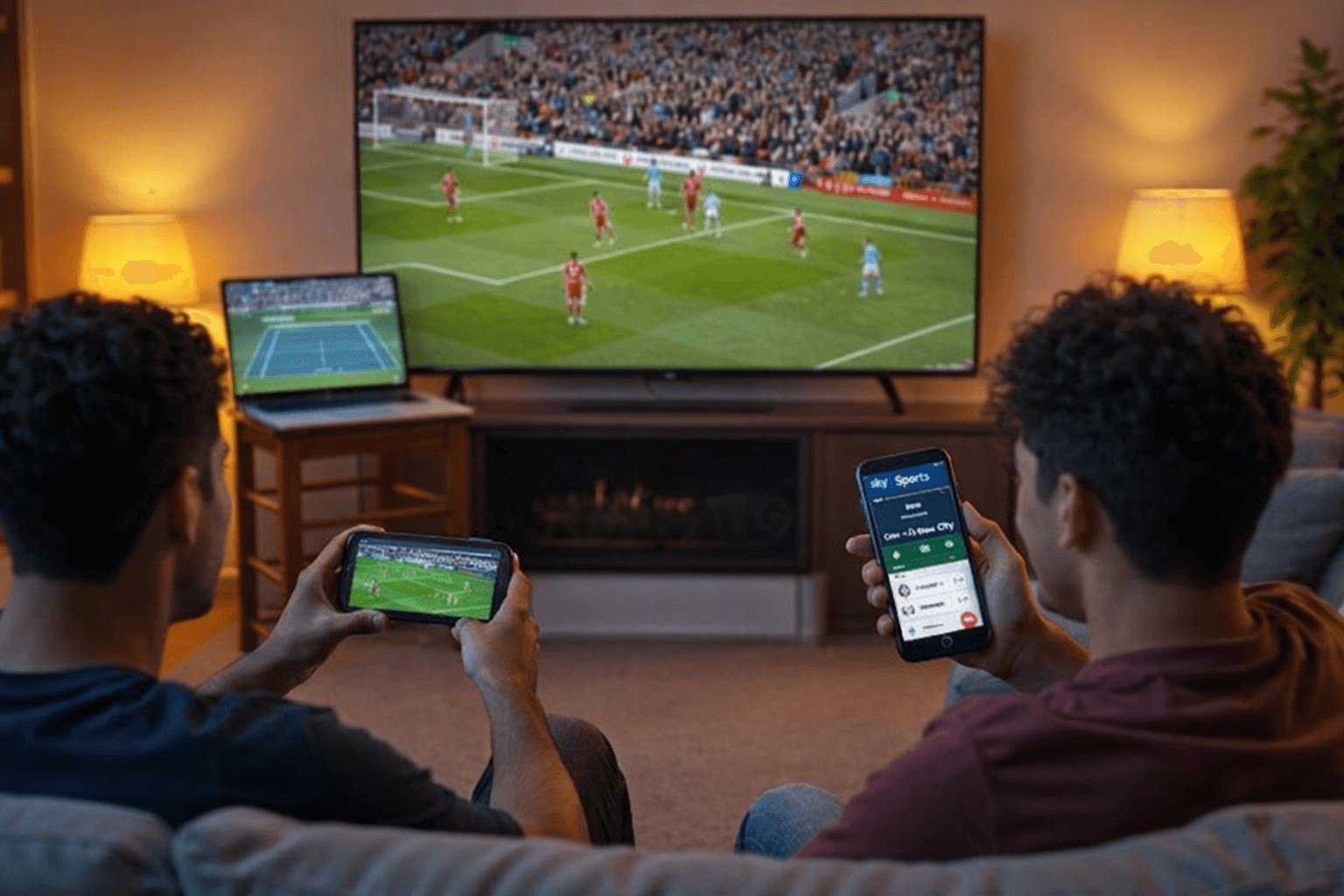
Nearly half of football fans (49%) use two or more screens during a match, with 39% actively watching a second game at the same time. [Source: MTN insights]
On a Premier League matchday, up to ten fixtures can kick off simultaneously. Heavy fans don't pick one, they follow several, toggling between apps, second screens, and commentary to keep up with all of it.
There's an opportunity to consolidate that fragmented behaviour into a single, seamless experience. The challenge was doing it in a way that didn't disrupt the primary broadcast or feel like a feature dropped in from somewhere else.
Challenge
Adapting an existing model without breaking what already works
A multiview framework existed in the Comcast X1 experience, but Sky Sports operates differently, in how sidebar interactions are structured, how events are navigated, and how the product is used in a UK context.
The key challenges were:
Finding a natural entry point for multiview within an event-led navigation system, where the sidebar is tied to a single match
Adapting interaction patterns to fit Sky product conventions and UK user behaviour
Supporting multi-match viewing without pulling attention away from the primary broadcast
Working within a hard technical constraint: the sidebar cannot be invoked from within mosaic view
Design process
Defining product positioning and end-to-end journeys
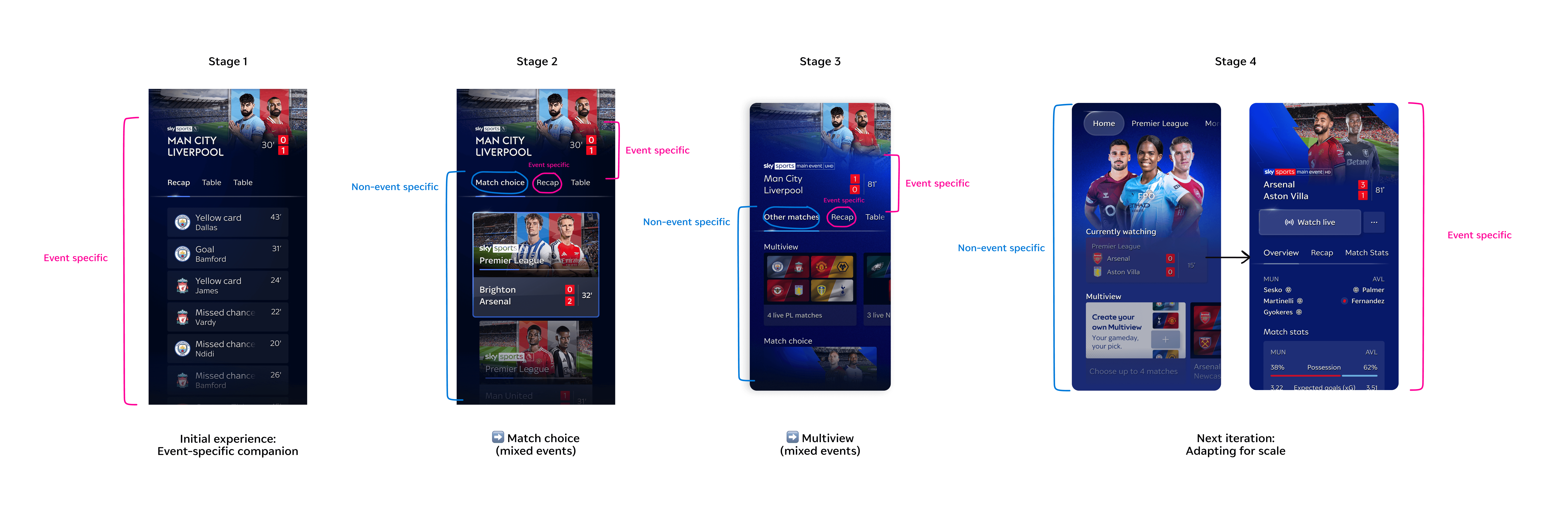
Because the Sky Sports sidebar is contextually tied to a single match event, multiview couldn't simply appear as a standalone mode. It needed an entry point that users would find intuitively, without a tutorial, in the middle of a live game.
I led the introduction of an "Other Matches" tab within the event sidebar — placing multiview discovery in the one place where users are already thinking about football beyond the match they're watching.
This release also sat within a longer strategic arc. Event centres needed to evolve to carry greater breadth of content while staying organised and contextual so that when we reach our ultimate product vision, the stepping stones implemented in between are consistent & create familiarity within the patterns of interaction.
Designing for the speed of live sport, on a remote, with no margin for friction
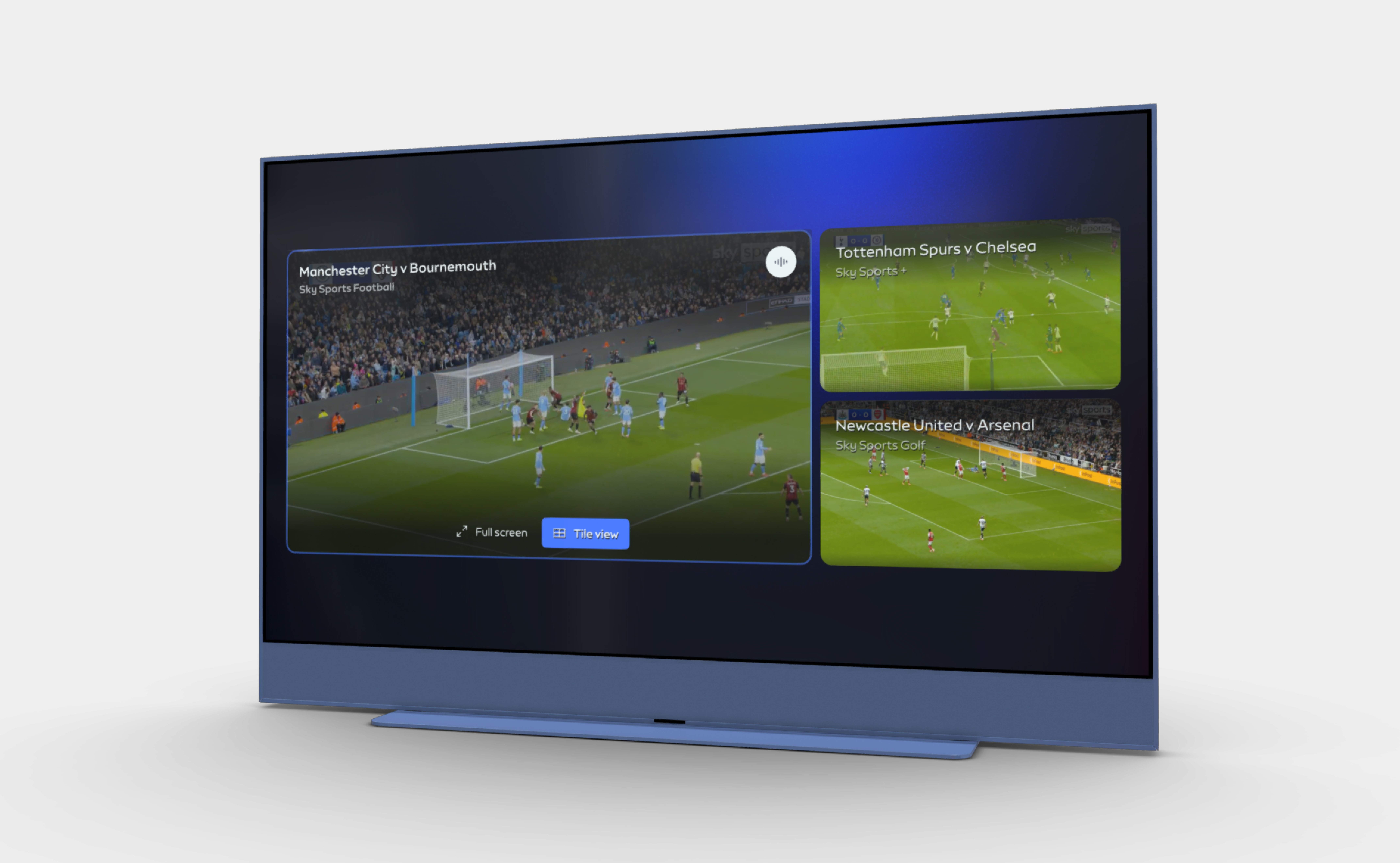
The core of the experience was a mosaic view — multiple matches on screen simultaneously, with the ability to spotlight a specific game and move fluidly between an overview and a focused state.
But the interaction model was where the real design work lived. TV remote navigation is unforgiving: every extra directional input is friction, and during live sport, friction costs attention. The model had to support rapid, confident switching without demanding that a fan think about the interface.
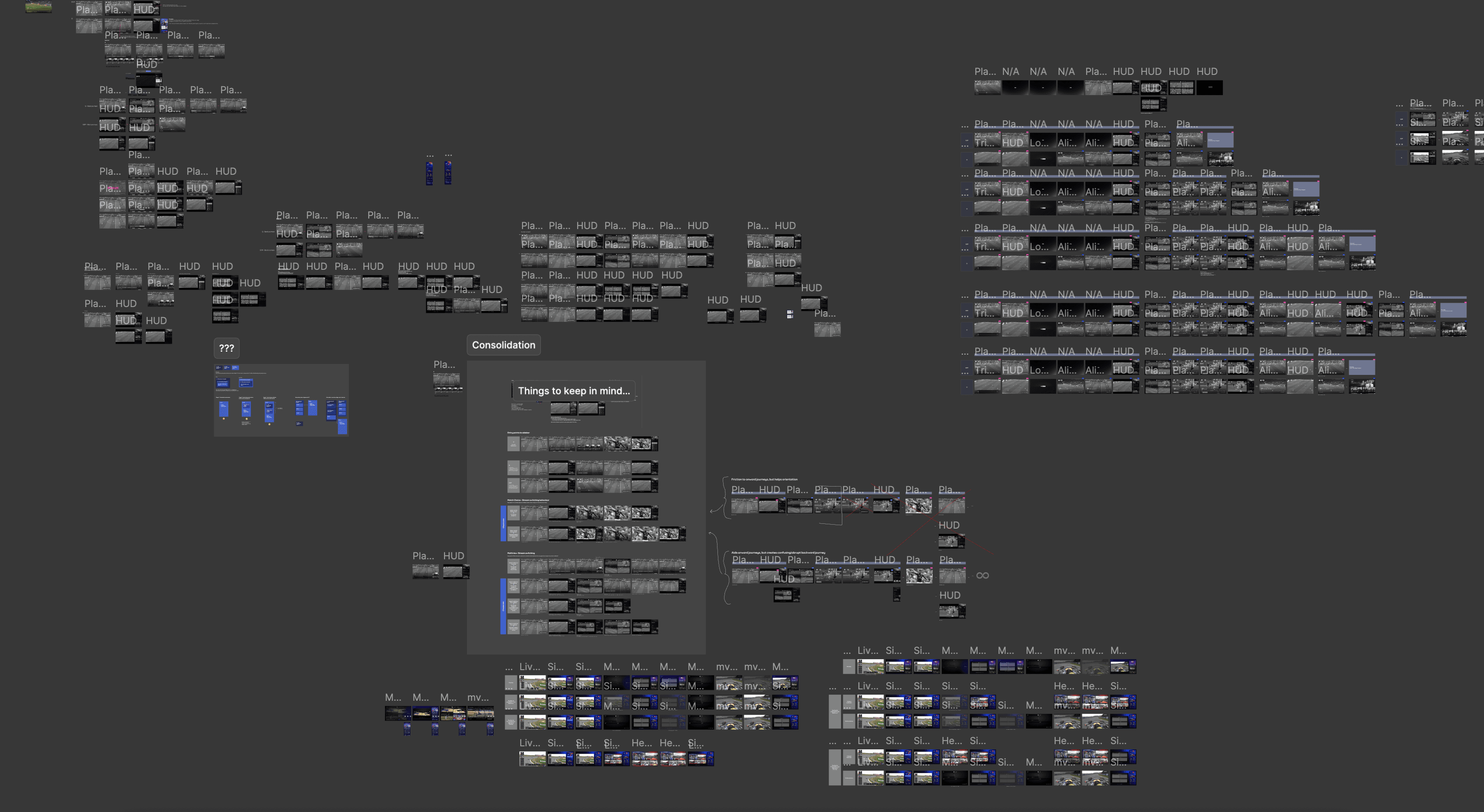
A key part of the design work was mapping the full range of state transitions, from linear channel, into mosaic, into full-screen tile, and back again, and ensuring every journey was fast, clear, and reversible. With multiple layers of navigation available, the risk was creating an experience with too many open threads. Containing those forward journeys wasn't a constraint to work around; it was a deliberate design decision to keep users oriented throughout.

Outcome
Launching multiview for Premier League matchdays
The result was a pre-configured multiview experience for Premier League matchdays, giving Sky Sports users the ability to follow multiple games in a single interface for the first time.
Beyond shipping the feature, the project established the navigational and architectural patterns that the team can now build on as multiview evolves. The "Other Matches" entry point proved scalable, the interaction model held up to the pace of live sport, and the release created a validated foundation for user-defined multiview in future iterations.
Success metrics
49,000 devices engaged with Multiview on opening weekend
99.7% playback success rate at peak scale
32.5 min average session duration, signalling strong sustained engagement
Exceeded broadcast audience adoption benchmarks by 6%
The work delivered:
A launched multiview experience for Premier League matchdays, on schedule
A scalable entry point model native to Sky's event-led product structure
Validated interaction patterns enabling the next phase of user-defined multiview
Key decisions
Introducing "Other Matches" as the entry point
The sidebar is contextually tied to a single match, so multiview needed a home that didn't break that logic. Placing it as a tab within the existing sidebar kept the mental model intact, made discovery feel natural, and gave the feature room to scale without requiring a structural rethink.
Supporting both equal and prioritised viewing modes
Fans watch differently, and moments in a match also determine where their attention is diverted towards. Rather than designing for one mode, the experience supports both, users move between tile and spotlight view freely, at whatever pace the match demands.
Designing spotlight interactions for speed and clarity
Mosaic gives fans breadth, while full screen gives them depth. The transition between the two needed to feel instant and reversible, so fans could commit to a game without feeling locked in. Quick actions on each tile gives users control of how they want their viewing experience to be weighted, with return to mosaic from full screen only requiring one button press.
Keeping navigation contained to prevent lostness
Multiview is already a multi-layered experience. Adding the sidebar, with all its onward journeys, risked creating an experience with no clear centre of gravity.
In this first iteration, we made a deliberate call to disable sidebar access from mosaic and full-screen mosaic view. Constraining the navigation wasn't a limitation; it was a decision to keep users oriented, focused, and in control of a feature they were encountering for the first time.
Next steps
Moving towards a 'build your own' experience
Launching a pre-configured experience was a deliberate choice: it let us validate the core concept - watching multiple games in one place - without introducing the complexity of user customisation on day one.
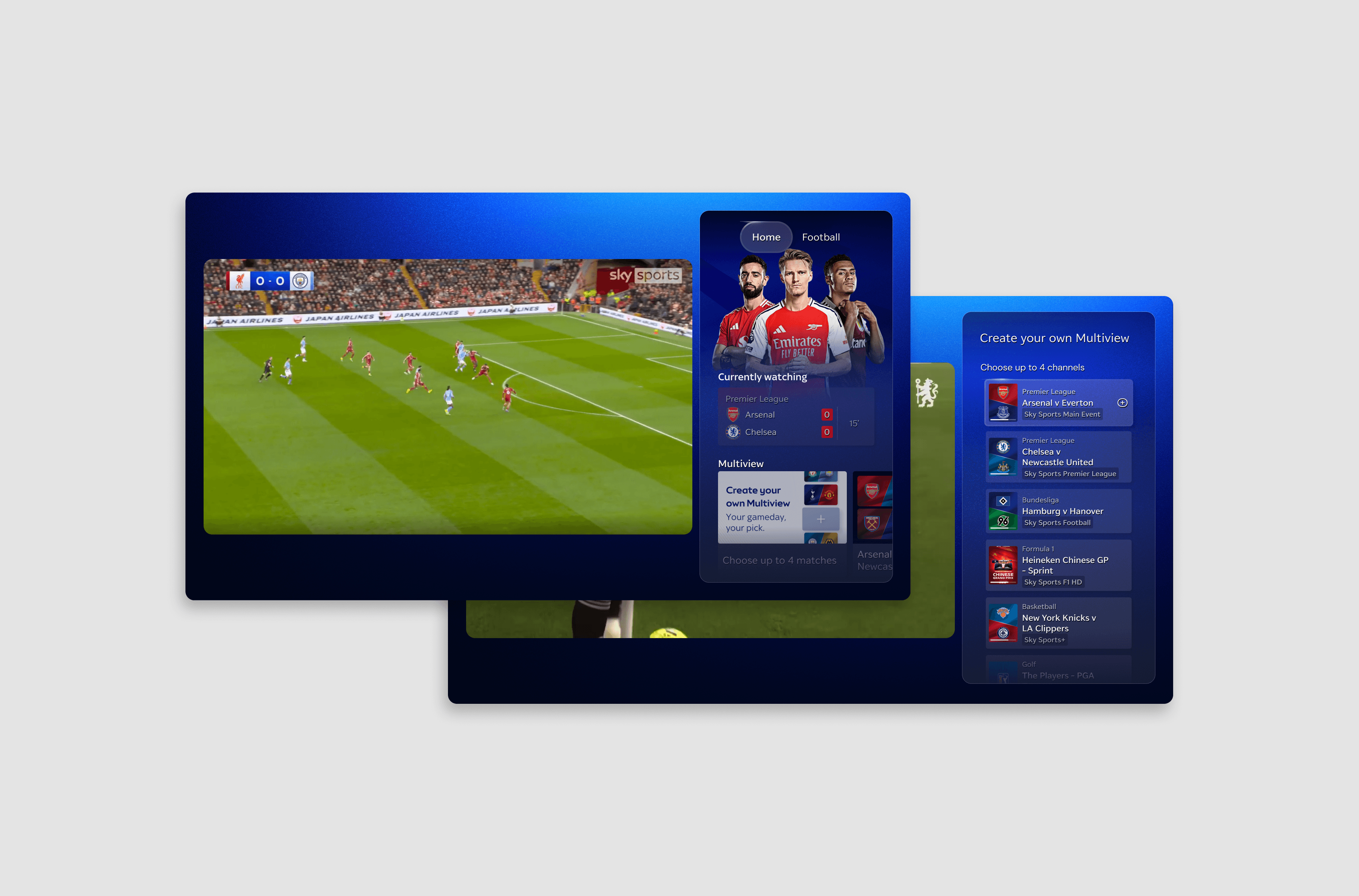
Future iterations will allow users to construct their own multiview, selecting which matches to include and building a matchday lineup tailored to who they follow. This shifts multiview from a curated product feature to a configurable experience, particularly suited to fans who want to follow multiple sports at once.
Reflection
Challenging past decisions in favour of a more usable experience
This project reinforced the importance of working critically under pressure. Building from the foundations of the X1 multiview experience meant not taking existing decisions at face value, having the confidence to challenge what had been designed in a different market, and ensuring what we carried across was genuinely right for our product and our audience.